

Most people never need to complain. About a purchase, or service post purchase. But if you do, you should always know the way. This includes: what to do at each stage, who to turn to next, and how long each step takes. This ensures your expectations are set properly from the start.
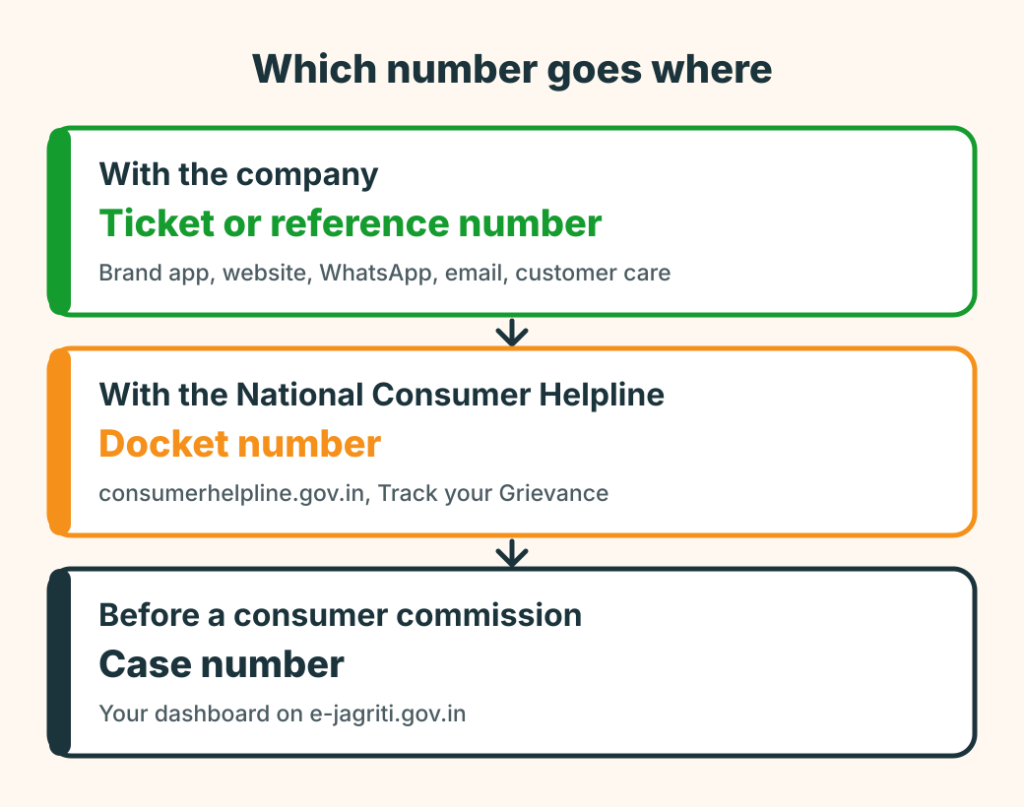
A complaint can live in up to three places, and each has its own number. Knowing which number goes where is most of the work of tracking it.
| Where it is | The number you need | Where to check |
|---|---|---|
| With the company | The ticket or reference number it gave you | The company’s app, website, WhatsApp, email or customer care |
| With the National Consumer Helpline | The docket number | consumerhelpline.gov.in, “Track your Grievance” |
| Before a consumer commission | The case or diary number | Your dashboard on e-jagriti.gov.in |
1. Tracking a complaint with the company
Start with the ticket number. If you did not get one, ask for it in writing; a complaint without a number is hard to follow. Then use the channel you logged it on: the brand’s app or website, its WhatsApp number, or a reply to the confirmation email. Quote the number every time.
How much you can see depends on the brand. Some show every step: reported, assigned, visit scheduled, resolved. Others give a status line or nothing. If you cannot see anything, write the date you called or messaged, who you spoke to and what they said, so the next message has facts in it. Our post on how to track consumer complaint walks through that find, contact, record, track and escalate sequence.
2. Tracking a grievance with the National Consumer Helpline
Every grievance registered with the National Consumer Helpline gets a docket number. On consumerhelpline.gov.in, use the “Track your Grievance” link; the portal says it works without logging in. If you registered on the portal you can also log in and see your grievances. The company’s replies and the action it has taken are shown against the grievance, and the portal says companies are reminded at set intervals.
Do not expect a same-day answer. The helpline’s own page says a grievance may take up to a maximum of 30 days to reach a conclusion. The helpline’s WhatsApp chat has also offered a status check; if you registered by WhatsApp or SMS, keep the message with the docket number.
3. Track consumer complaint: a case before a consumer commission
If you have filed on e-Jagriti, log in to the portal. Your dashboard lists your cases, and the portal is where hearing dates, orders and the case status are published. Keep the case number it gave you on submission and your login details safe. The full route to a commission, with fees and time limits, is in how to file a consumer complaint online in India.
4. Keep your own record
Whichever route you use, a one-page log saves you from memory: date, channel, what you sent or were told, and the next step with a date. The Word template on our consumer complaint format page includes a follow-up log you can print or fill in.
If the status does not move
Write to the next level in the company’s escalation matrix, quoting the ticket number and the first complaint. See how to write an escalation email. If two attempts go unanswered, register with the National Consumer Helpline.
Tracking with Simply C2
Simply C2’s free complaints app (Android) helps track consumer complaint and its history in one place and sends a push notification when a status changes. For brands connected to Simply C2 CRM, a complaint you log on the brand’s page becomes a ticket in the brand’s CRM and you get an acknowledgment on WhatsApp and email. For other brands, Simply C2 tracks your complaint in its own records, but that does not match the brand’s own ticket, so always quote the brand’s original reference when you escalate. Simply C2 does not file or track anything with the National Consumer Helpline or a consumer commission for you.
For service teams
If customers keep asking “where is my complaint?”, the answer is usually that the ticket exists but the customer cannot see it. Status updates sent when a ticket is assigned, visited and closed cut the chasing. See the customer complaint portal and the free escalation service. Start free for up to 10 users.
Leave a Reply