

When the equipment comes to you, the job is different: log it, check the warranty, estimate, repair and hand it back. Simply C2 is the same CRM we use for field service, configured for service centres, with every job tracked from the counter to the invoice.
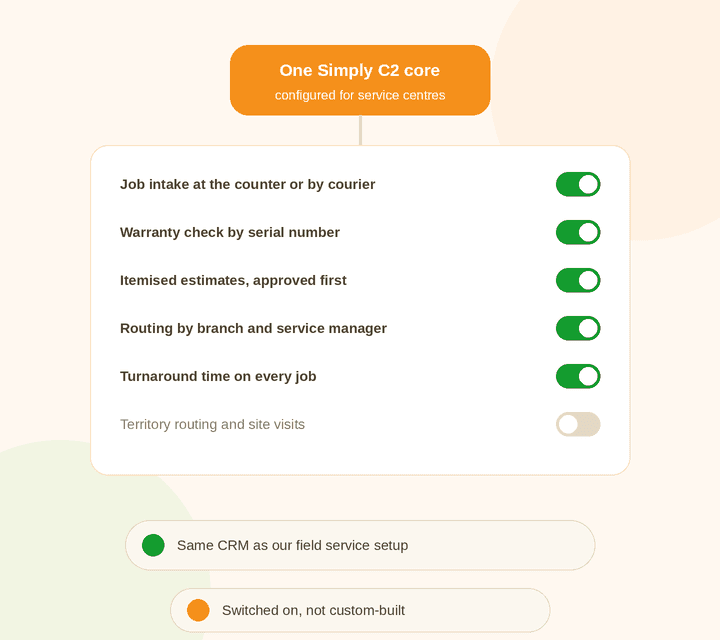
When you set up Simply C2, you choose how you deliver service: at a service centre, in the field, or both. Customers, equipment, warranty, estimates, invoices, spares and reports sit on one core.
So a repair centre with a few field technicians doesn’t need two systems. See field service automation for the other half, and the Simply C2 customer service platform for how your customers connect to it.
| Service centre setup | Field service setup | |
|---|---|---|
| Shared core | Tickets, customers, equipment, warranty and AMC, estimates, invoices, spares, reports, customer app | |
| Who moves | The equipment | The technician |
| Assignment | By branch and service manager | By territory |
| Key metric | Turnaround time, revenue per technician | Response time, SLA |
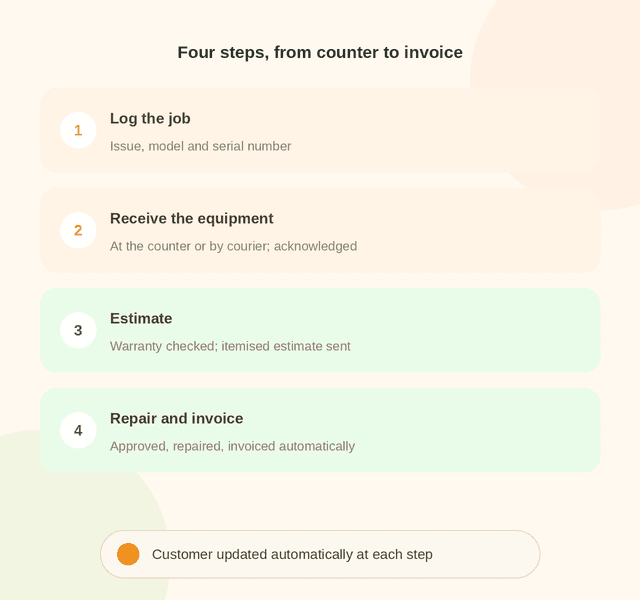
Record the issue, model and serial number, whether the customer walks in or logs it on the app.
At the counter or by courier. Inspect it and send the customer an acknowledgement straight away.
Check the serial number for warranty, check for misuse, and send an itemised estimate. See warranty tracking.
Once approved, the job is queued for repair, and the invoice is generated when it’s done.
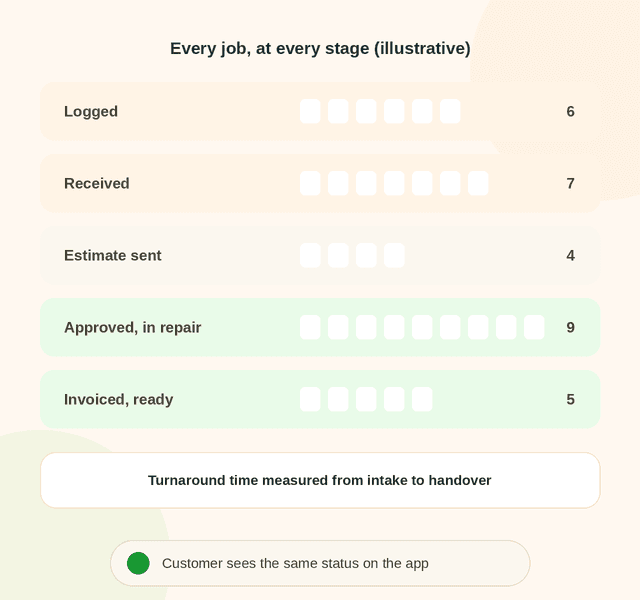
Each stage is time-stamped, so you know how long jobs take to get assigned, diagnosed and closed, at every branch.
Customers see the same progress on the Simply C2 app, so they don’t call the counter to ask. See customer service insights.
Warranty checks and itemised estimates mean covered work isn’t charged and out-of-warranty work always is. At one manufacturer’s 10 service centres, invoices went up 30%. See the service centre case study.
Instant updates at every stage and itemised estimates build trust, and customers approve before anything is repaired.
Parts lists by product, stock by quantity or serial number, and usage trends, with indent and approval flows that don’t slow the bench down. See spare parts usage tracking.
Equipment-specific checklists and defect lists, built from your own admin, with no coding.
Repair tickets, warranty tracking, the installed base, messaging and the mobile app. Your customers use the complaints app free, and can log complaints on WhatsApp.
Adds repair estimates, invoicing, spare parts logistics, two-way WhatsApp messaging and advanced reports, which most service centres rely on. Data migration and onboarding are free for paid customers. See license pricing.
Jobs, estimates, spares and photos on the Simply C2 CRM app.

Software that runs the repair work coming in to a service centre: logging each job, checking warranty, sending an estimate, tracking the repair and invoicing it, with the customer updated at every step.
No. It’s the same CRM, configured for service centres. You can run both together. See field service automation.
Yes. The itemised estimate goes to the customer, who approves it on the app before the repair starts.
Yes. Jobs are routed by branch and assigned by each branch’s service manager. See the multi-centre case study.
No. The free Starter plan (up to 10 users) covers repair tickets and warranty tracking. Repair estimates, invoicing and spare parts logistics are on Premium, at ₹5,000 per user per year. See license pricing.
Start free, or talk to us about getting every branch on one system.