

GPS and Google APIs geo-tag every technician activity — arrival, departure, even the photo taken on site — so dispatch decisions run on real location, not a guess about who's closer.
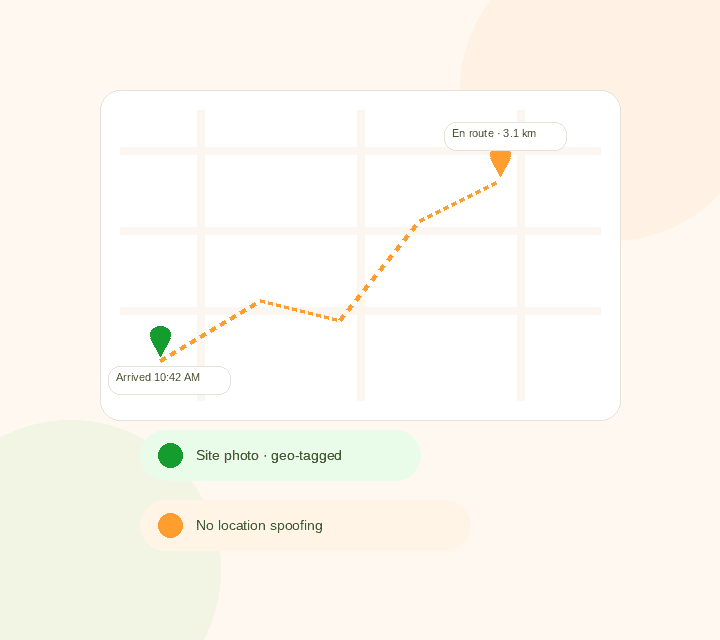
Every smartphone has a GPS receiver that works out its position from satellite signals. Field service software puts that position to three uses: finding the site, choosing who goes, and keeping a record of the visit.
Used this way, location data is a dispatch and proof tool. It does not need to be on all day: Simply C2 tracking is designed not to run continuously, so it does not flatten the phone's battery. Tell your team what is recorded and why before you switch it on; that matters more to adoption than any setting.
See where your field team actually is right now, not where they said they'd be this morning.
Try Simply C2 for free
Our customers use Simply C2 CRM technician location tracking to:
Technician location tracking is part of the free Starter plan. No credit card.
Adds preventive maintenance scheduling, spare parts logistics, repair estimates, invoicing and advanced reports. Paying yearly is ₹5,000 instead of ₹6,000 over twelve months. Data migration and onboarding are free for paid customers.
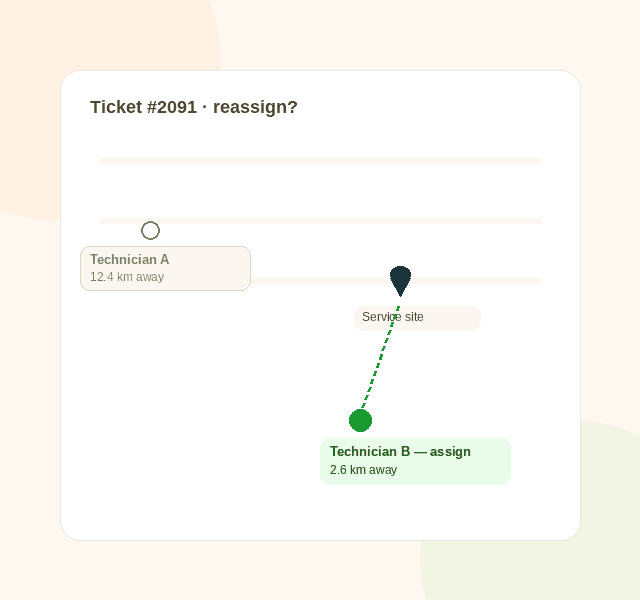
Watch the day's unresolved tickets and switch to whichever technician is free and closer, so the job gets resolved faster.
Every ticket's site is geo-tagged, so a technician points their phone and navigates with Google Maps — no address hunting.
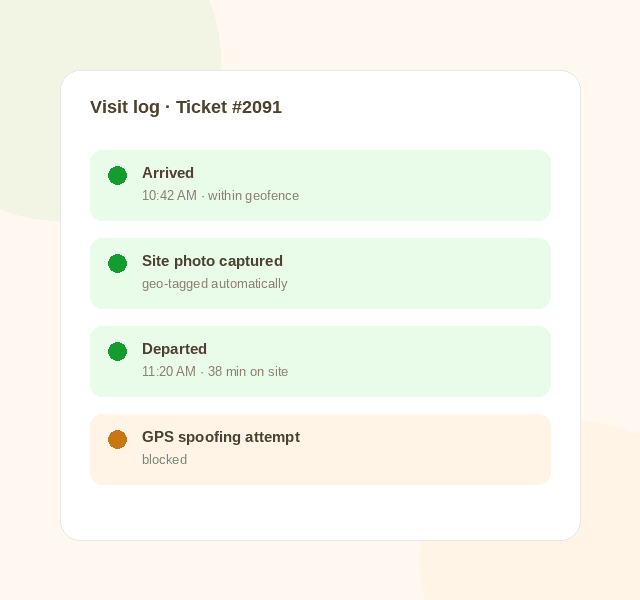
Time- and location-tag every activity, and flag anything outside the expected vicinity — technicians know they're tracked, and behave accordingly.
Tracking isn't continuous, so field staff aren't choosing between a working phone by evening and being tracked at all.
GPS spoofing tools exist that can feed an app a fake location. Simply C2's technician app is built to reject that, so a logged arrival and departure means the technician was actually there.
Maintenance across riverine deltas, where many locations don't have a formal address at all.
Maintenance of generator sets in remote locations, far from any fixed service depot.
Maintenance of unattended water-dispensing machines spread across a wide, scattered territory.
Maintenance of fuel-dispensing machines at forecourts nationwide.
Location data keeps its value after the visit. Every ticket carries the site's GPS location, so a report of open tickets can be downloaded with a location column and plotted on a map.
One Simply C2 customer, an all-India sales and service network for machine components, did exactly that. It exported its live cases with customer, site, GPS location, postal address, ticket number and ageing, put the file into Google Sheets and then onto Google Maps. The clusters of sites were visible at a glance, and it used them to decide where its service centres should be as it rebuilt the network, in place of gut feel.
The data gets better when customers supply their own location. When a customer creates a profile in the Simply C2 customer app, the app can fill in the address from the phone's GPS and Google Maps, which cuts errors in the site location. The customer shares that profile with a service provider on Simply C2 CRM, and the provider receives the coordinates and the postal address together.
This is a planning aid, not a promise of a result: the map shows where your sites and open tickets are, and the decision about centres stays with you. For the report side, see dashboards and standard reports; for the installed equipment behind each site, installed base tracking.
The Simply C2 CRM app navigates to the site, geo-tags every visit, and reassigns tickets on the move.

It's GPS- and Google-API-based tracking of where your field technicians are and have been, geo-tagging arrivals, departures and site photos, so dispatch and reporting run on real location data instead of a technician's word.
Simply C2's technician app is built to detect and block GPS spoofing, so a logged location reflects where the technician actually was.
No. Tracking isn't continuous — it's designed to balance accuracy with battery life, so field staff aren't left choosing between a working phone and being tracked.
Yes. You can see which technicians are free and how far they are from a site, and switch an unresolved ticket to whoever's actually closer.
Yes — customers use it for exactly that: telecom towers in riverine deltas, remote genset installations, and other sites where GPS coordinates matter more than a street address.
The technician's phone works out its position from GPS satellite signals. The app uses it to navigate to the site, to time-stamp and location-tag arrivals, departures and site photos, and to show the dispatcher which technician is closest to an open ticket.
Yes. Each installation site can be tagged with its GPS coordinates, which helps where the postal address is incomplete or missing, such as remote sites.
It can inform the decision. A report of open tickets can be downloaded with each site's GPS location and plotted on a map to show where sites and tickets cluster. One customer used this to plan its service centres. The decision itself still depends on your costs and coverage.
Setup takes a call, not a sales pitch.
Try Simply C2 for free