

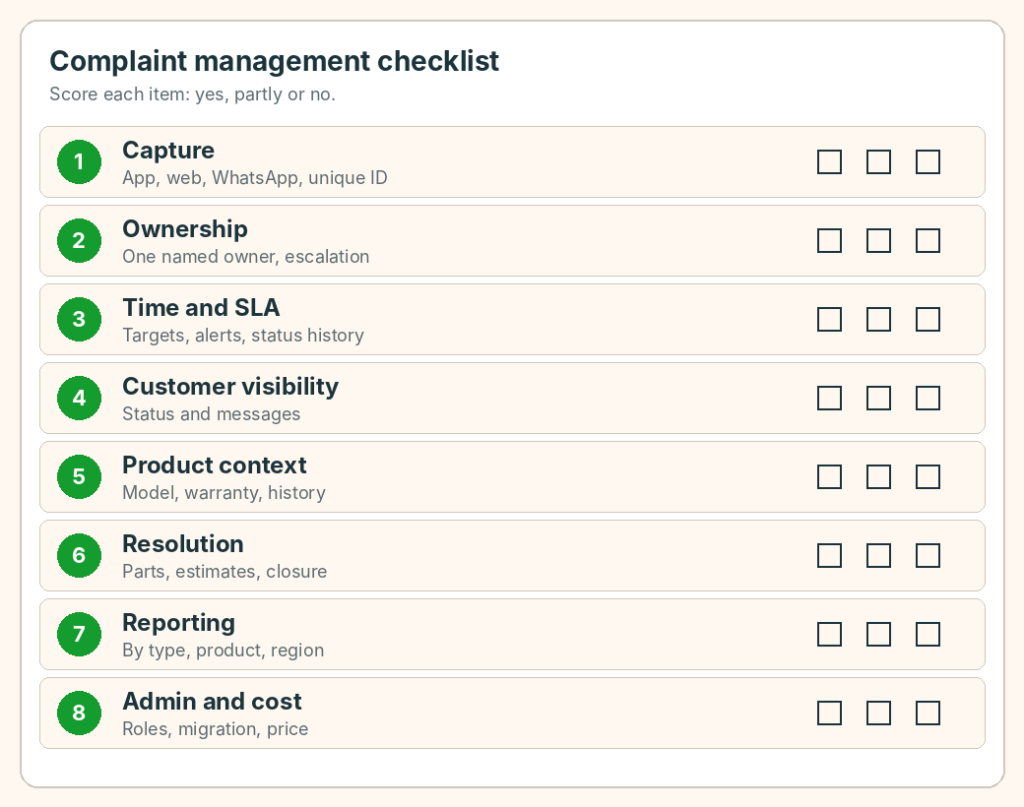
A complaint management system should do one thing well: make sure every complaint is captured, owned, resolved and learnt from. Use this checklist to compare tools, or to test the one you have. Score each item yes, partly or no. If you are moving off spreadsheets first, read Moving from Excel to complaint management software.
1. Capture
- Can customers log a complaint without calling? (app, web form, WhatsApp)
- Does every complaint get a unique ID the customer can quote?
- Are complaints from calls, email and walk-ins entered in the same place?
- Does the customer get an acknowledgment straight away?
2. Ownership
- Is every complaint assigned to one named person or team?
- Can you assign by territory, product or skill, not just by hand?
- Is there a clear way to reassign and escalate?
3. Time and SLA
- Can you set a target time per complaint type?
- Do you get an alert before a target is missed, not after?
- Is there a record of every status change and who made it?
4. Customer visibility
- Can the customer see the status of their complaint without calling?
- Can the customer and the technician message each other?
- Are customers told ahead of a scheduled visit?
5. Product context
- Does the complaint show the product, model, purchase date and warranty status?
- Is the history of earlier complaints on the same product visible?
6. Resolution
- Are spare parts, repair estimates and invoices tied to the complaint?
- Is closure confirmed by the customer, or only by the agent?
- Can you reopen a complaint?
7. Reporting
- Can you see complaints by type, product, region and technician?
- Can you build a report that is not in the standard list? (See customer service insights and reports.)
- Can you export the data?
8. Admin and cost
- Does it support your users, centres and roles without custom work?
- Is migration of your old data included?
- Is the price per user clear, and what is free? Ask for it in writing.
Questions to ask every vendor
- Show me a complaint from capture to closure, live, not slides.
- What happens when a customer logs a complaint on WhatsApp?
- What do customers see, and what do they not see?
- What does it cost for 10, 50 and 100 users, per month and per year?
- Which reports are in the cheapest plan?
- How do I get my data out if I leave?
Run a pilot before you commit
Pick one region or one product line for a month. Count complaints, time to first response, time to close and repeat calls. Judge the tool on those numbers. The same one-shift test works for call volume: see how much of your service call centre is status calls.
Where Simply C2 fits
Simply C2 is built for companies that service products after the sale: tickets, technicians, installed base, warranty, spare parts and a complaints app for customers. The customer complaint portal (and the customer complaints app) provides a fast, easy and free way for your customers to log complaints with you.
Starter is free for up to 10 users. Premium is ₹500 per user per month, or ₹5,000 per user per year (see pricing). Customers can log complaints in the app or on WhatsApp, on every plan, and can message the assigned technician. Read how it works on the single platform page, or start free.
Honest limits: the complaints app is Android only today, and customer-side features such as quotation approval and payment depend on the brand using Simply C2.
FAQ
- What is a complaint management system? Software that records every complaint, assigns it, tracks it against a target time and reports on the results.
- What features matter most? Capture, a single owner, time targets, customer-visible status and reporting.
- How is it different from a helpdesk? A helpdesk tracks conversations. A complaint system also tracks the product, the visit, the parts and the resolution.
- How long does a pilot take? One month on one region or product line is usually enough to see the numbers.
- Is there a free option? Simply C2 Starter is free for up to 10 users.
- Can customers log complaints on WhatsApp? Yes, on every plan.
Leave a Reply