

The technician app is where field service software is won or lost. If technicians find it slow or fiddly, they stop using it, and the data in the office goes stale. Use this checklist to compare apps, with a test for each item that you can run in a demo.
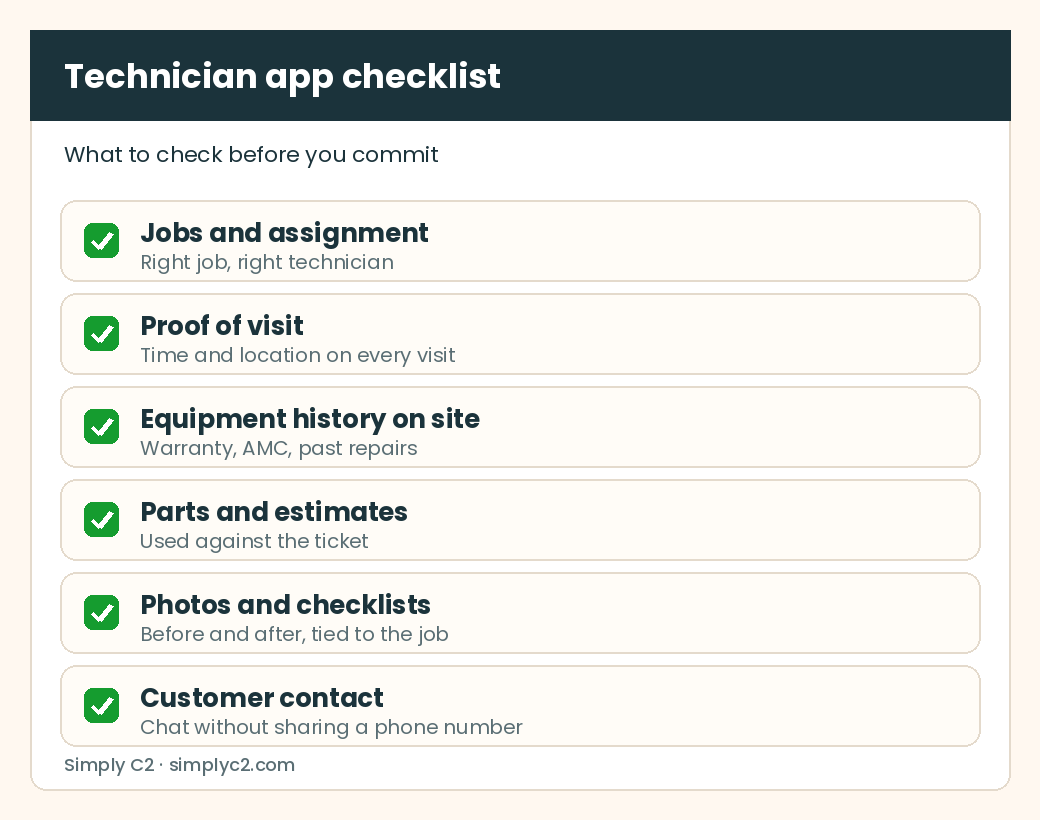
A field service app is the mobile app a technician uses on site. It shows the jobs assigned to them, holds the details of the customer and the equipment, and lets them record the visit, the parts used and the result. The office sees the same record in the main software.
Most field service software has two apps: one for the technician and one for the customer. This page is about the technician's. If you are also weighing up the whole product, start with best field service software for Indian teams and how to choose.
Score each yes, partly or no. Ask the vendor to show it on a phone, not on slides.
Technicians should see only their own jobs, with the customer, address, fault and priority. Demo test: assign a ticket and watch it appear on a technician's phone.
Model, serial number, warranty or contract status and earlier repairs, before the technician starts. Demo test: open a job for a unit that has been repaired before.
Arrival and departure recorded with time and location, so you do not rely on the technician's word. Demo test: ask what is recorded if the technician closes a job from home.
Apps that fake GPS exist. Ask whether the app detects and blocks them. Demo test: ask the vendor to explain what happens when a fake location is used.
Before and after photos, tagged with time and place, attached to the ticket. Demo test: take a photo and find it on the office side.
Different jobs need different forms: installation, breakdown, preventive maintenance. You should be able to build them without a developer. Demo test: ask who builds a new form and how long it takes.
Parts used should be tied to the job, so stock and cost stay right. Demo test: request a part from the app and follow it through approval.
For paid repairs, the technician should be able to prepare an itemised estimate on the spot, and the customer should be able to approve it. Demo test: raise an estimate and see what the customer receives.
Messaging inside the app keeps the conversation on the ticket. Demo test: send a message from the customer side and read it on the technician's phone.
Many sites have weak coverage. Ask what works offline, what waits for a connection and what happens to data entered offline. Demo test: switch the phone to flight mode and try to close a job.
The technician's location data is there for the service company: to dispatch, to prove a visit and to settle disputes. It is a separate question whether customers should see it. Some products show customers a live map of the technician; some do not. Decide which you want before you shop, because it changes your shortlist and your privacy position with your own staff.
In Simply C2, customers cannot follow a technician on a map. Chat and visit notifications are set up by the service company in its CRM.
The technician app works from the Simply C2 CRM. In plain terms:
There is no route optimisation, and no accounting integration (no Tally or QuickBooks). Customers cannot see a technician's location. Payroll and attendance are not part of the product. Collecting a payment in the app needs a connection. The customer complaints app is Android only today; customers on other phones can log a complaint from the browser.
Then run a pilot: give the app to technicians in one region for a month and ask them, not only the managers, whether they would keep using it. The whole process is in how to choose field service software for 25 to 100 technicians.
The mobile app a field technician uses on site: it shows assigned jobs and equipment details and records the visit, photos, parts used and the outcome. The office sees the same record in the main software.
At least: assigned jobs, equipment and warranty history, arrival and departure with time and location, photos tied to the job, checklists, parts used against the ticket, an on-site estimate, messaging with the customer and a clear answer on offline use.
It is a choice. Some products show customers a live map; others keep location for the service company and give customers status updates and chat instead. Decide this before you shop. In Simply C2, customers cannot follow a technician on a map.
With some apps, yes, using fake GPS tools. Ask the vendor whether the app detects and blocks them. The Simply C2 technician app detects and blocks fake GPS locations.
The technician app and location tracking are in the free Starter plan, which covers up to 10 users. Estimates, invoicing, preventive maintenance scheduling and spare parts logistics are in Premium, at ₹500 per user per month or ₹5,000 per user per year.
Free Starter plan for up to 10 users, no credit card.
Start free