

Simply C2 · CRM premium feature

Scheduled maintenance tickets for preventive maintenance, calibration, and refills — on one rule engine

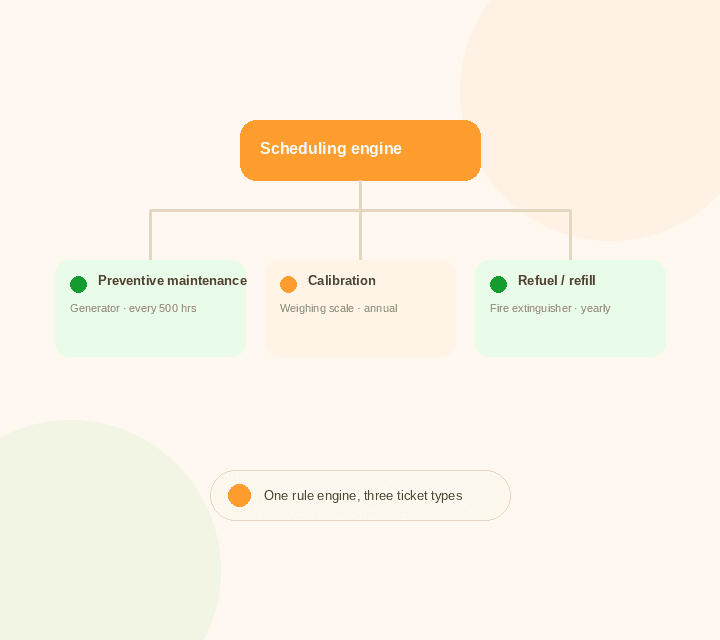
Preventive maintenance, calibration, and refueling or refilling are all scheduled work — due on a calendar, on run-hours, or after an event. Simply C2 schedules all three the same way, instead of treating each as a separate problem.
  • Schedule PM, Calibration and Refills on One Engine
  • Trigger by Calendar, Run-Hours, or a Prior Event
  • Auto-Schedule the Next Ticket When One Closes
  • Push Equipment-Specific Checklists to the Mobile App
A scheduling engine feeding three ticket types: preventive maintenance, calibration, and refuel or refill

What breaks without one scheduling system

  • Reactive failures cost more than scheduled ones.Waiting for equipment to fail is reliably more expensive, and less predictable, than servicing it on schedule.
  • A missed calibration is a compliance risk, not just a delay.Measurement and safety-critical equipment that runs past its calibration date can mean failed audits or, worse, equipment that can't be trusted.
  • An expired refill is only discovered when it's needed.Firefighting equipment past its chemical refill date looks fine sitting on the wall — until the day it's actually needed.
  • Three kinds of scheduled work, three ad-hoc systems.PM on a spreadsheet, calibration on a wall calendar, refills tracked by whoever remembers — none of them talk to each other.
  • Technicians show up without the right checklist.Without an equipment-specific checklist pushed to the field, a scheduled visit turns into a technician guessing what to check.

One engine, three kinds of scheduled work

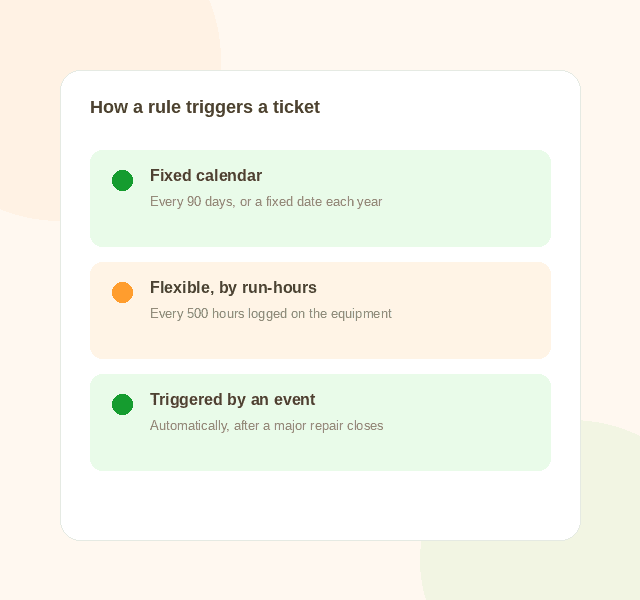
All three are scheduled the same way in Simply C2: on a fixed calendar, on run-hours logged, or triggered automatically by an event like a major repair.

Preventive maintenance

Servicing scheduled to keep equipment healthy before it fails.

Example: Generator serviced every 500 run-hours

Calibration

Re-checking accuracy on measurement or safety-critical equipment, on a fixed or event-driven schedule.

Example: Weighing scale recalibrated annually, or after any major repair

Refueling and refilling

Replenishing a consumable that quietly runs out or expires if nobody's watching.

Example: Firefighting equipment's chemical charge renewed yearly

Inside the CRM

The same screen configures all three

Set the rule once — calendar, run-hours, or event-triggered — against a product category, and every matching piece of equipment inherits it.

Try Simply C2 for free
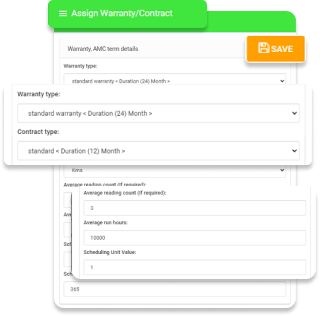
Simply C2 CRM scheduled maintenance screen
Three ways a scheduled maintenance ticket can trigger: fixed calendar, flexible by run-hours, or triggered by an event
How scheduling works

Set the rule once, however your equipment actually runs

Not every piece of equipment should be serviced the same way. Simply C2 lets you pick the trigger that fits.

  • Fixed Calendar: Monthly, Yearly, or Any Fixed Interval
  • Flexible: Based on Run-Hours Actually Logged
  • Triggered: Automatically After a Prior Event Closes
Try Simply C2 for free
Built for each activity

Custom forms, by equipment and by activity

A preventive maintenance visit, a calibration, and a refill each capture different data. Build a form for each, by equipment type, from your own admin — no coding needed.

Try Simply C2 for free
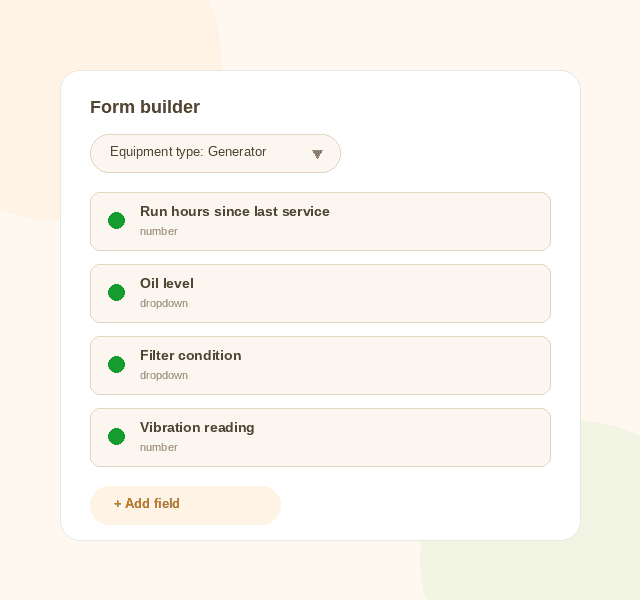
Custom forms for scheduled maintenance tickets by equipment type
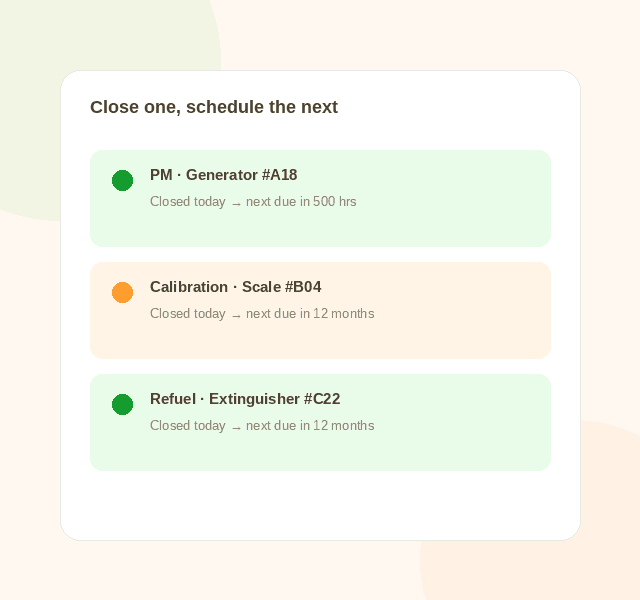
Closing a PM, calibration or refuel ticket automatically schedules the next one
Powerful automation

Close one, and the next is already scheduled

When an installation finishes, or any scheduled ticket closes, Simply C2 automatically creates the next one against the same rule — no one has to remember to do it.

Try Simply C2 for free
Simply C2 · Customer to Companies

The Simply C2 Platform
For Scheduled Maintenance

YouYour customer
1

Your own web based Simply C2 CRM

  • Scheduling rules by product category
  • Custom forms per activity type
  • Reports and dashboards
2

Simply C2 customer portal

  • Your verified customers get access
  • See upcoming scheduled visits
  • Confirm completed service
3

Simply C2 mobile app for your technician

  • Equipment-specific checklists pushed to the app
  • Log spares usage and close the ticket
  • Raise estimates and invoices on the spot
4

Simply C2 mobile app for your customer

  • See the next scheduled visit
  • Get reminders ahead of the date
  • Track a technician's progress

The same benefits, across all scheduled work

Flexible contracts and warranties

Assign customized service-contract terms to each piece of equipment, even when a sale came with non-standard terms.

Go mobile, end to end

Assignment, directions, checklists, spares indents, estimates and invoices — all available to the technician on the app.

Automatic scheduling

The next ticket is created the moment the current one closes, algorithmically, against the rule you set.

Reports and dashboards

Standard reports for system health, analytical reports for trends, and boolean custom queries for everything else.

Scheduled tickets, pushed straight to the field

Your technicians see today's PM, calibration and refill tickets on the app, with alerts for new assignments and overdue tickets.

Get it on Google Play

FAQ

What are scheduled maintenance tickets?

Tickets raised automatically for work that's due on a schedule — preventive maintenance, calibration, or a refuel/refill — rather than in response to a complaint.

How is calibration different from preventive maintenance in Simply C2?

They use the same scheduling engine, just with different triggers and forms: calibration is often annual or tied to a major repair, while PM is more commonly run-hours or calendar based. Both are configured the same way.

Can a ticket be triggered by an event, not just a date?

Yes. A rule can be set to trigger automatically after a prior event closes — for example, scheduling a calibration check after a major repair on the same equipment.

Does closing a ticket automatically schedule the next one?

Yes. Whether it's a PM, a calibration, or a refill, closing the current ticket creates the next one against the same rule, without anyone needing to remember to do it.

Can technicians use different checklists for PM, calibration, and refills?

Yes. Forms are built per activity type and per equipment type from your own admin, with no coding, and pushed to the technician's mobile app.

Schedule PM, calibration and refills on one engine.

Setup takes a call, not a sales pitch.

Try Simply C2 for free